Plan your week,
see your time.
A visual weekly planner that lets you click and drag to organize your schedule. Private, fast, and beautifully simple.
Everything you need
A focused set of features designed to help you plan your week without the bloat. Simple tools, powerful results.
Visual Time Tracking
Click and drag to create time blocks on a weekly grid. See your entire schedule at a glance.
Multiple Workspaces
Keep work, school, and personal schedules separate with independent workspaces.
Privacy First
No accounts required for the app — and OneCode sign-in needs no email, name, or personal info at all. No tracking. No analytics. Your data is yours.
Smart Reminders
Get notified before tasks start. Set custom reminder intervals from 1 to 30 minutes.
Works Offline
Your data stays on your device. No internet needed after loading.
Desktop App
Available as a portable Windows app. No installation required.
See it in action
A clean, intuitive interface that gets out of your way and lets you focus on planning.
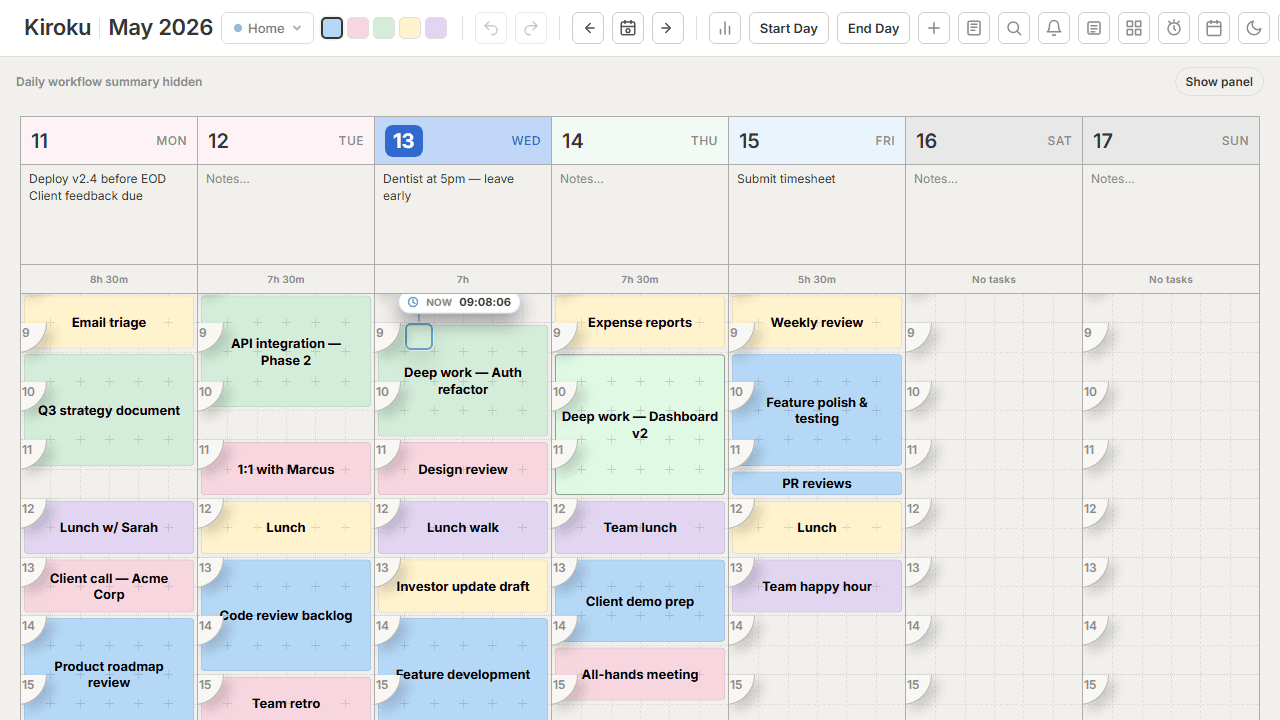
Visual weekly planner
Drag and drop time blocks across a full seven-day grid to build your schedule in seconds.
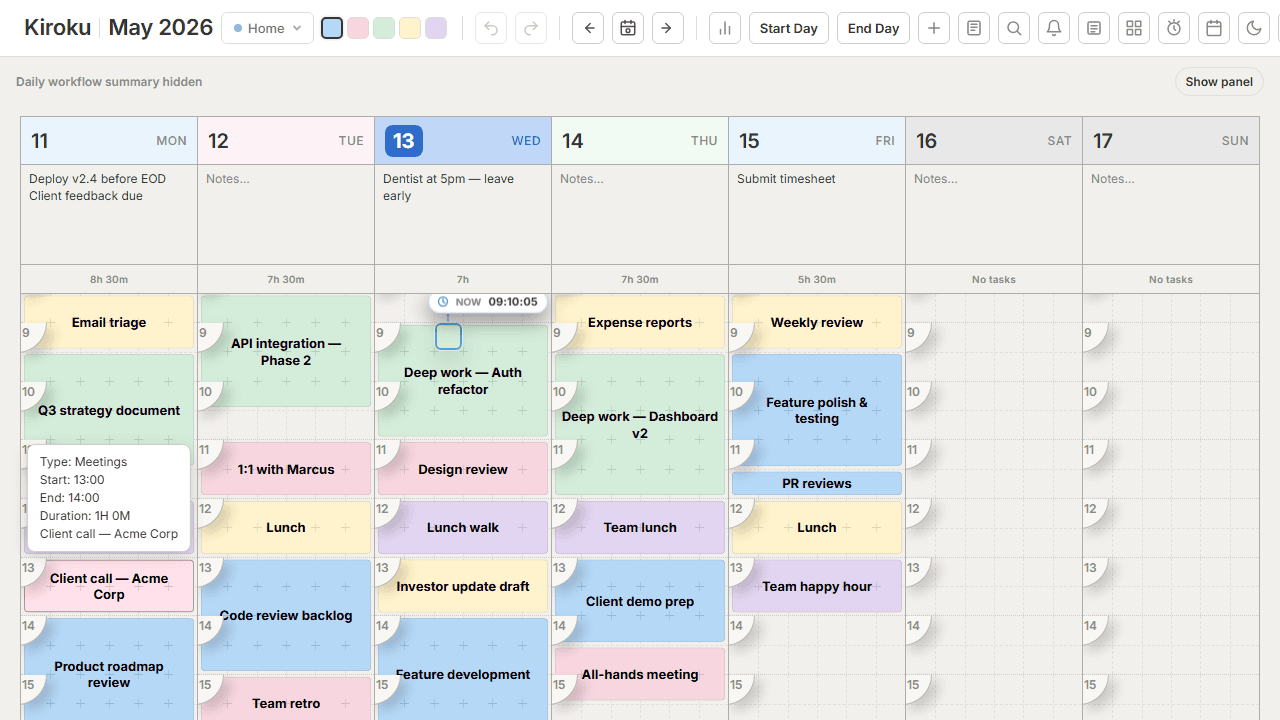
Hover for details
Hover any block to instantly see its full title, duration, and quick-edit actions.

Built-in time tracking
See exactly how many hours you spend on each category, updated automatically from your grid.
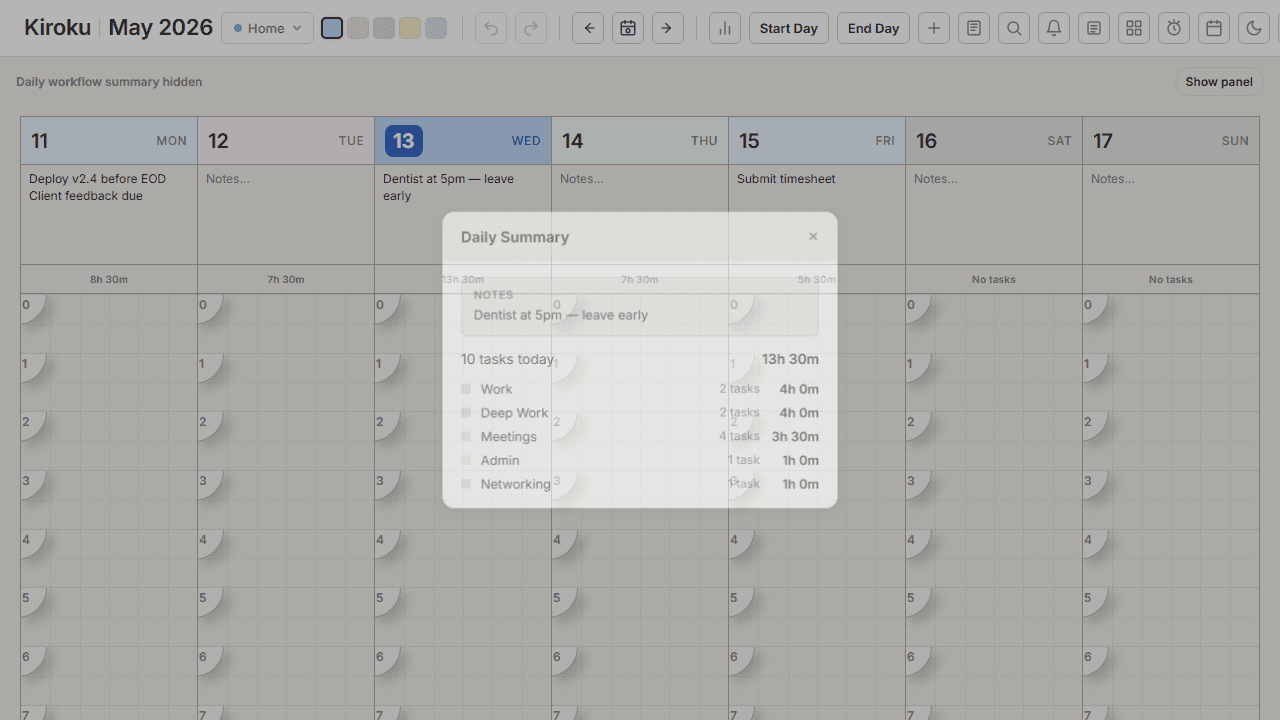
Daily summaries
A per-day breakdown that shows how your time is allocated across tasks and categories.
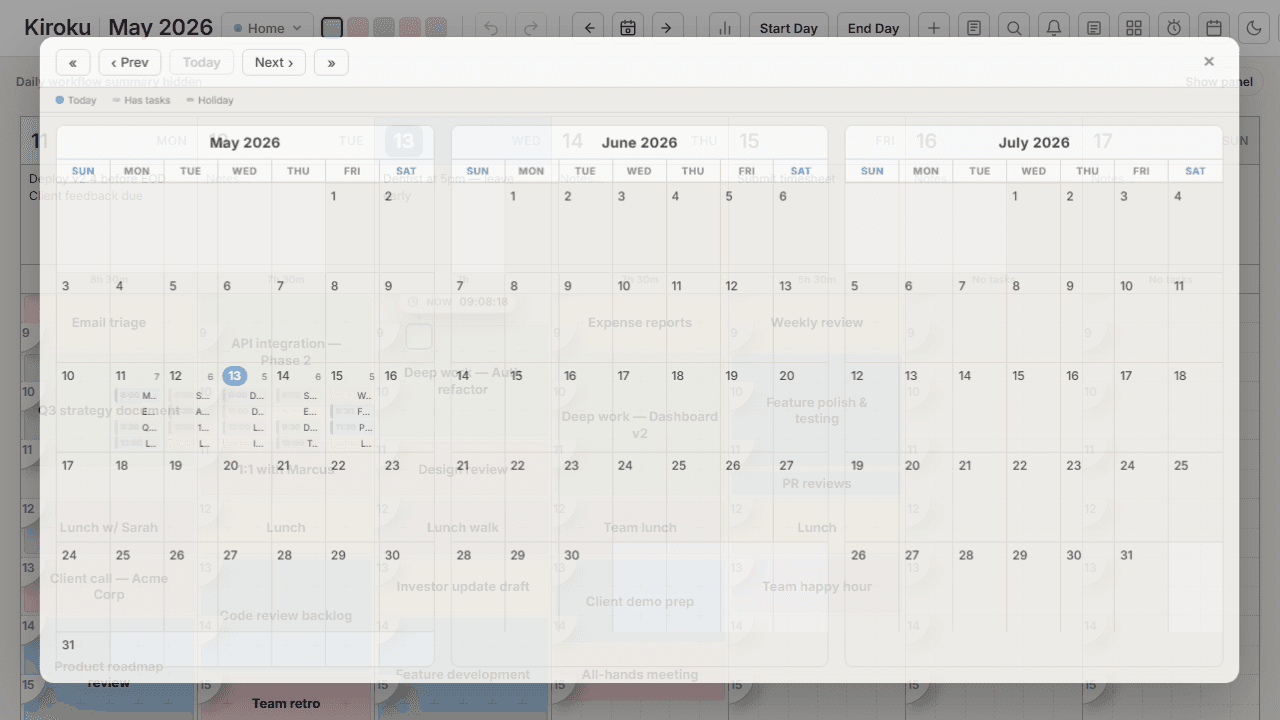
Calendar navigation
Jump to any week with the built-in calendar picker — no scrolling required.
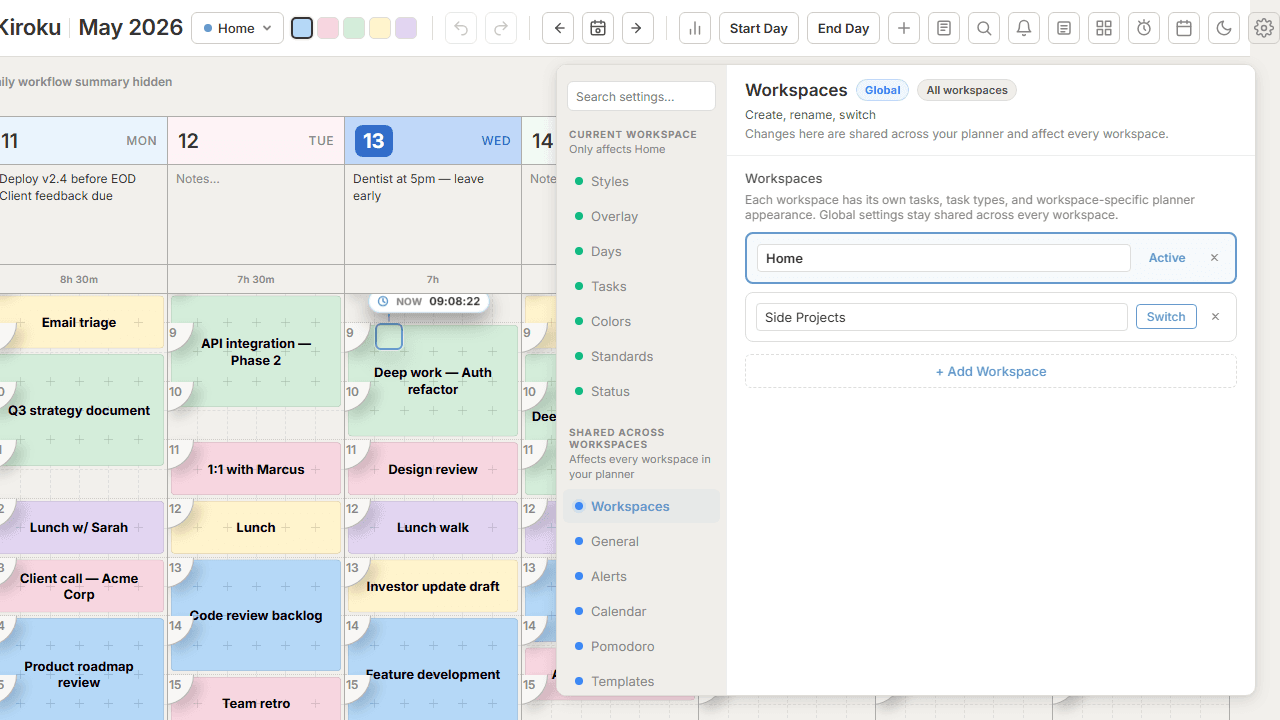
Multiple workspaces
Keep work, personal, and side projects in separate planners — switch between them instantly.
Ready to take control of your time?
Start planning your week visually in under a minute.